What is Zudisa? How to use it (complete guide)
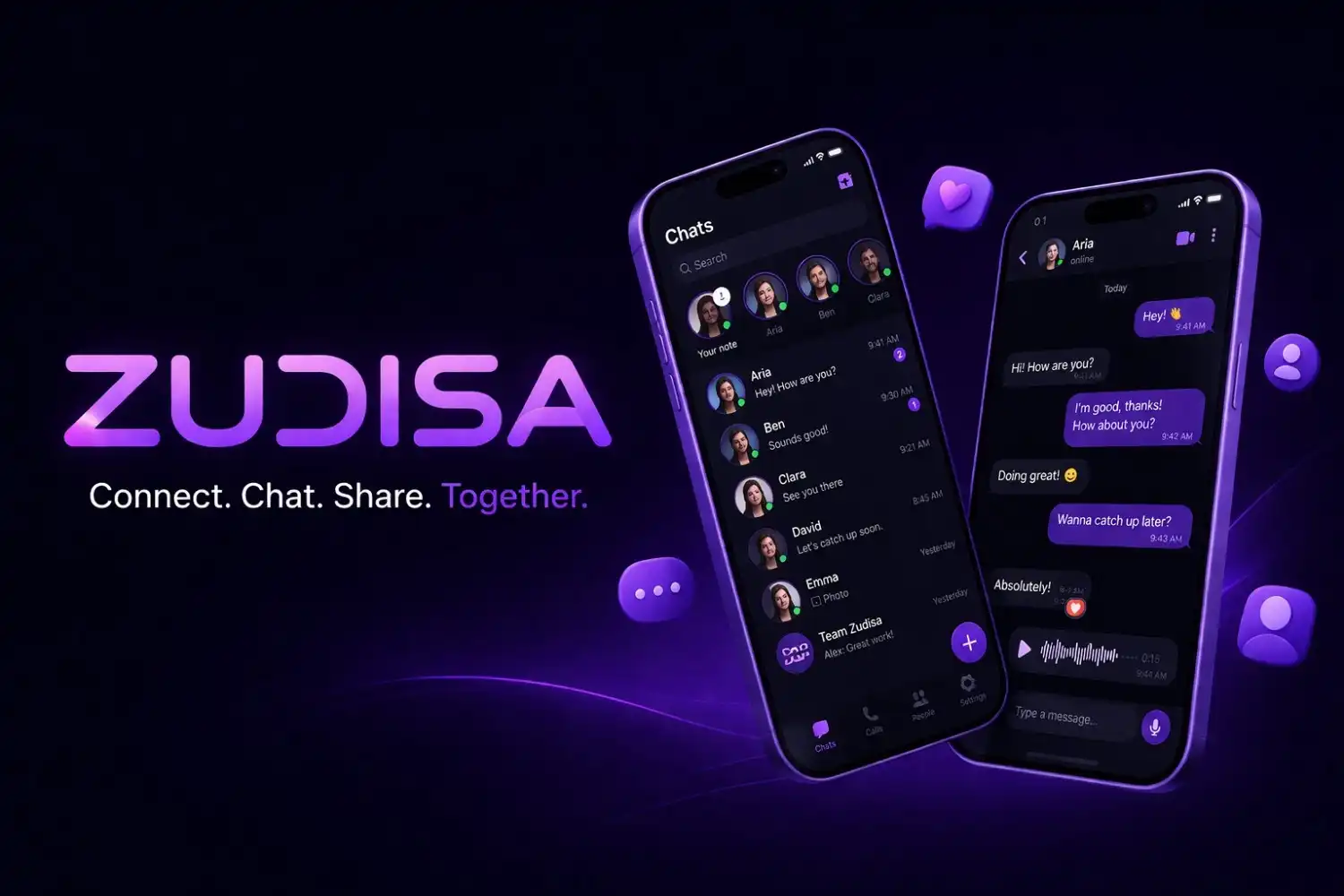
Zudisa is a modern social messaging platform built around one simple idea: chatting should feel clean, fast, and under your control.
If you’re new here, this guide explains what Zudisa is, what it can do today, and how to use every core feature without guessing.
What is Zudisa?
Zudisa is an account-based chat app where you can:
- message people one-to-one (DMs)
- join public rooms for live conversations
- build a friend list so your favourite people are always easy to reach
- use consent-based calling, so calls aren’t random or uncomfortable
It’s meant to be easy on day one, and powerful once you settle in.
Getting started (register + login)
- Go to Register and create an account with your email.
- Sign in from the Login page.
- After login, you’ll be inside the dashboard — that’s your home base.
How the dashboard is organized
Zudisa is split into a few simple tabs. If you understand these, you understand the app.
1) Chats (DMs)
This is your one-to-one inbox.
- Start a chat: open a user and send a message.
- Keep it flowing: just type and hit send — messages stack cleanly and the chat stays snappy.
- Little details: reactions and quick reply flow help keep conversations natural.
2) Friends
Friends are the people you want easy access to.
- Add a friend when you meet someone you actually want to talk to again.
- Remove a friend if you want to keep your space tidy.
Friends is basically your “favourites” list — it keeps the app from feeling random.
3) Rooms
Rooms are live communities where anyone can jump in and talk.
- Join a room from the Rooms list.
- Chat in real time — rooms are meant to feel active and lightweight.
- Room info: tap the room avatar/name in the header to open the room info panel and see members.
If you’re new, rooms are the fastest way to meet people because the conversation is already happening.
4) Profile
Your profile is how you show up on Zudisa.
Edit profile
You can update things like your name, bio, and social links so people understand who they’re talking to.
Blocked users
If someone makes the experience uncomfortable, block them. You can also review and manage blocked accounts later from the blocked users screen.
Consent-based calling (how calls work on Zudisa)
This is one of the best parts of the platform: calling is designed around consent.
What that means in real life:
- You don’t get random calls from people you never agreed to.
- A call can start only after the permission flow is satisfied (based on your current consent rules).
If a call doesn’t go through, it’s usually because consent hasn’t been granted yet — and that’s intentional.
Safety tools (blocking + reporting)
Zudisa is built to be friendly, but it also gives you tools when it isn’t.
- Block: stops someone from reaching you.
- Report: flags behaviour that shouldn’t be on the platform.
Use them early. The best communities are the ones where people don’t “wait it out”.
A quick “first day” checklist (recommended)
If you want the best experience in the first 10 minutes:
- Set a profile photo + short bio.
- Join 1–2 rooms and send a simple intro message.
- Start one good DM with someone who seems respectful.
- Add friends so your dashboard doesn’t feel like starting from zero every time.
Common questions
“What’s the difference between Rooms and DMs?”
DMs are private, one-to-one conversations. Rooms are live, public spaces where multiple people can talk together in real time. A good way to use Zudisa is: meet people in Rooms, then continue the best conversations in DMs.
“How do I add someone as a friend?”
Open their profile from chat (or after you meet in a room) and use the Add friend option. Friends are simply the people you want quick access to — it keeps your dashboard feeling organised instead of random.
“How does consent-based calling work?”
Zudisa is designed so calling happens with permission, not surprise. If you can’t call someone yet, it usually means consent hasn’t been granted for that chat — start with messages, build comfort, and then call when it’s appropriate.
“What should I do if someone is rude or spammy?”
Don’t argue — just use the tools. Block stops them from reaching you, and Report flags behaviour that shouldn’t be on the platform. Using these early helps keep rooms and DMs clean for everyone.
Final note
Zudisa is best when you treat it like real life: be respectful, keep your circle clean, and use rooms to discover people — then use DMs and friends to keep the good ones close. So, what are you waiting for? Join Zudisa and start your journey to a cleaner, faster, and more controlled chat experience.
Experience ChatSafari Today
Connect with thousands of active users from around the world in a secure, friendly environment.
2M+
Active Users
5M+
Messages Daily
180+
Countries


